Instructional Supports: The Real Engine of Educational GamesEmbedding the scaffolds that make learning stick
Welcome to Zach Groshell Don’t recognize this sender? Unsubscribe with one click Learning Science Design recently imported your email address from another platform to Substack. You'll now receive their posts via email or the Substack app. To set up your profile and discover more on Substack, click here.
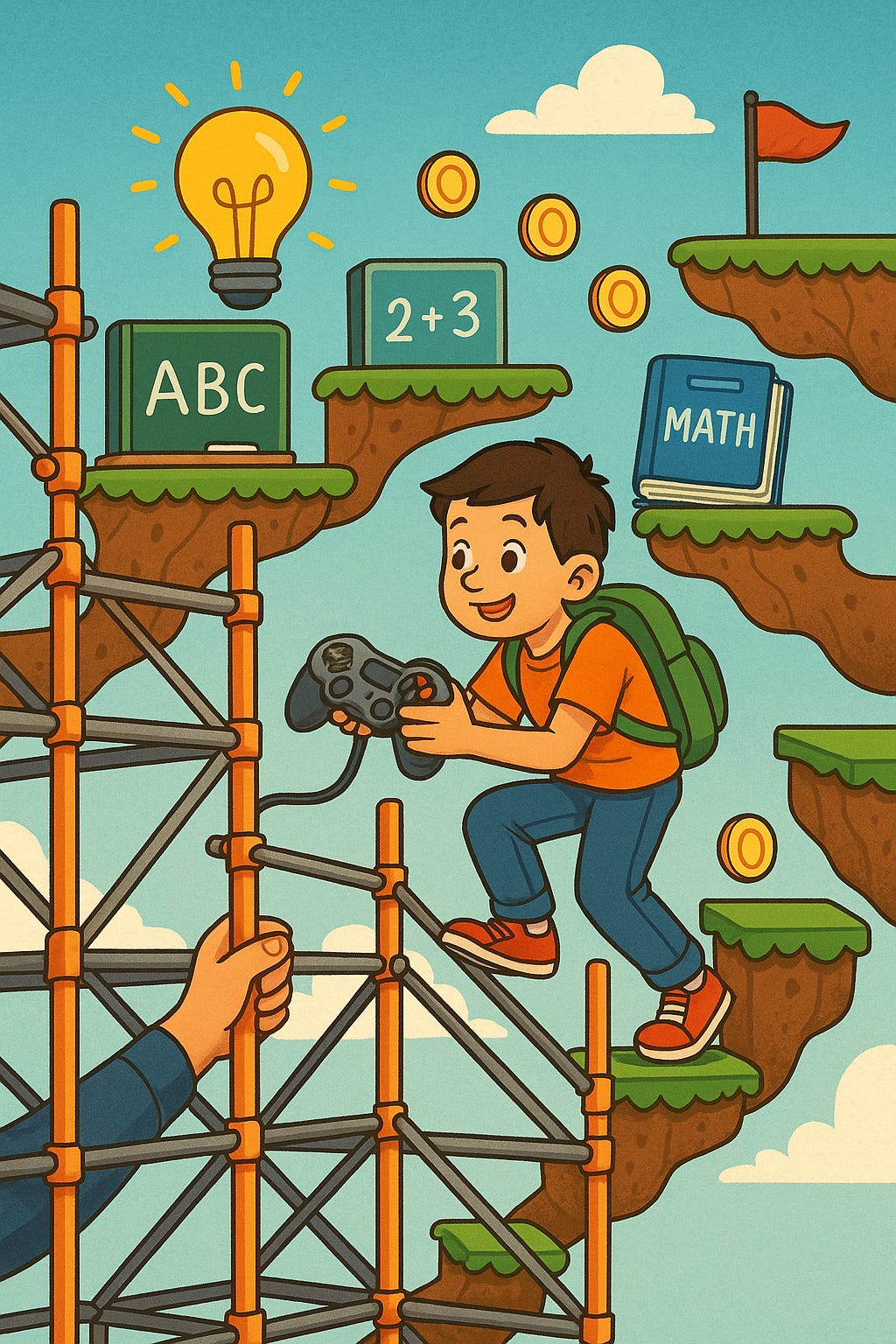
We all know educational games produce mixed results. But when you look closely at the research, games with strong instructional supports generate learning gains; games without them generally do not. Wouters & van Oostendorp’s meta-analysis of 107 studies found that instructional supports were a key factor in whether a game improved learning, with the strongest effects emerging when supports helped players select and organize relevant information during skills-based tasks. Their later synthesis of “serious game” research reinforces the same point. The cognitive load theory angle also needs to be considered here. Most games—no matter how elegant—are naturally high-load environments. Navigation, movement, timing, animations, rewards, and bad guys all compete for the same limited working-memory resources the learner needs to dedicate towards understanding. Recent research shows that learning improves when cognitive load is managed and explicit supports are layered onto the gameplay. Across reviews of studies, “scaffolding” - the design moves that guide the learner’s attention, simplify decisions, and structure the path toward mastery - is one of the strongest predictors of learning. Yet the reviews also make clear that the quality and design of these supports—not the game or “medium” from which they are delivered—deserve far more attention than they usually get. Summed up plainly:
What should developers do with this information?If instructional supports are what truly drive learning, then the real design work becomes: How do we systematically build those supports directly into the gameplay so learning becomes reliable, efficient, and unavoidable? To make that concrete, I’ve created a bit of a playbook—a set of high-leverage supports that guide attention, shape thinking, optimize cognitive load, and ensure learners actually acquire the skill you set out to teach. As you move through the list below, map each support onto your own game design: Where will the learner encounter it—and how will it shape what they think about, practice, and remember? 1. Orientation & Pre-Training SupportsPrepare the learner, reduce early confusion, and prevent trial-and-error thrashing. Before a learner engages with gameplay, they need clarity and prerequisite skill. These supports set expectations and teach foundational pieces so the game becomes a meaningful practice arena rather than a guessing loop. Supports developers can use: • Pre-training – Teach key pre-skills explicitly before they appear in gameplay. • Prerequisite lessons (Mastery gates) – Require a plain, direct lesson before unlocking harder game content. • Learning objectives – Tell the learner exactly what they’re going to learn and how success will be measured. • Assignments / Academic missions – Embedded academic tasks that must be completed to advance. Think of the chores in Harvest Moon. 2. Modeling & Example-Based SupportsShow what “good” looks like before asking players to perform it. Learners should not infer skills by guessing. Modeling and example-based instruction dramatically reduce cognitive load during initial skill acquisition and secure early success, which increases motivation and effort. Supports developers can use: • Modeling – A teaching agent demonstrates each step of the solution process, with checks for listening. • Worked examples – Fully solved problems presented before similar items. • Example / Non-example variation – Strategic variation that clarifies conceptual boundaries. • Completion problems – Problems with missing steps learners must complete. • Erroneous examples – Incorrect solutions learners diagnose and correct. • Fading – Provide strong support early; gradually remove it as mastery increases. 3. In-Problem Cognitive SupportsGuide attention, manage cognitive load, and prevent unproductive search while the learner works. Unguided problem solving overwhelms novice learners. These supports ensure students focus on relevant information, make productive moves, and have their errors corrected before they become misconceptions. Supports developers can use: • Cues – Highlights, arrows, or animations directing attention to relevant features. • Advice – Strategic hints that guide the learner’s next step. • Just-in-time supports – Temporary help that appears only when needed. • Pedagogical tutors – A coach offering short explanations or reminders. • Feedback – Immediate correctness information with brief explanatory notes, often with a “repeat until firm” procedure (more on that in another post). • Adaptivity – Adjust difficulty and support based on performance. 4. Consolidation & Metacognitive SupportsTurn gameplay success into durable, long-term learning. Learners need structured opportunities to review, retrieve, and reflect. These supports transform momentary success into lasting mastery. Supports developers can use: • Quizzes and checks for understanding – Embedded questions with feedback. • Self-explanation prompts – Ask learners to explain steps or reasoning in their own words. • Elaboration prompts – Encourage deeper processing with targeted “why” questions. • Reflection prompts – Ask learners to justify or evaluate their responses. • Free recall prompts – Ask learners to “brain dump” or summarize key ideas from memory. “Type everything you remember about x.” 5. Progression SupportsHelp learners see where they are, what they’ve learned, and what’s ahead. Clear mastery signals reduce uncertainty, increase motivation, and help players understand how today’s learning fits into the larger picture. Supports developers can use: • Progress bars and indicators – Show learners how far they’ve come and what remains. • Skill maps – Help learners visualize how current skills connect to upcoming ones, making the learning pathway explicit. Conclusion: Instruction First, Gameplay SecondGreat games motivate. Great instruction teaches. Learning games must do both—but without well-designed instructional supports, the gameplay will overshadow the learning. So build learning games with the guiding question: How does the learning happen—and have you built in the supports that make that learning unavoidable? Zach Groshell is free today. But if you enjoyed this post, you can tell Zach Groshell that their writing is valuable by pledging a future subscription. You won't be charged unless they enable payments.
|
Monday, 8 December 2025
Instructional Supports: The Real Engine of Educational Games





Subscribe to:
Post Comments (Atom)
Two spots for July
Now is the time. ...

-
Rex Sikes posted: " Take this quote of William Atkinson Walker's to heart. Understand it and apply it in your life. ...


No comments:
Post a Comment